Continuing Chapter 1
Up to this point, most of the programs presented by K&R processed input directly character by character. In many cases, it was enough to analyze the current character and keep small amounts of context, like a counter or a state. From here on, the exercises begin to require something different: temporarily storing data so it can be analyzed or transformed later.
In case you haven't read part 1 of this series: K&R (C) — Chapter 1 pt. 1
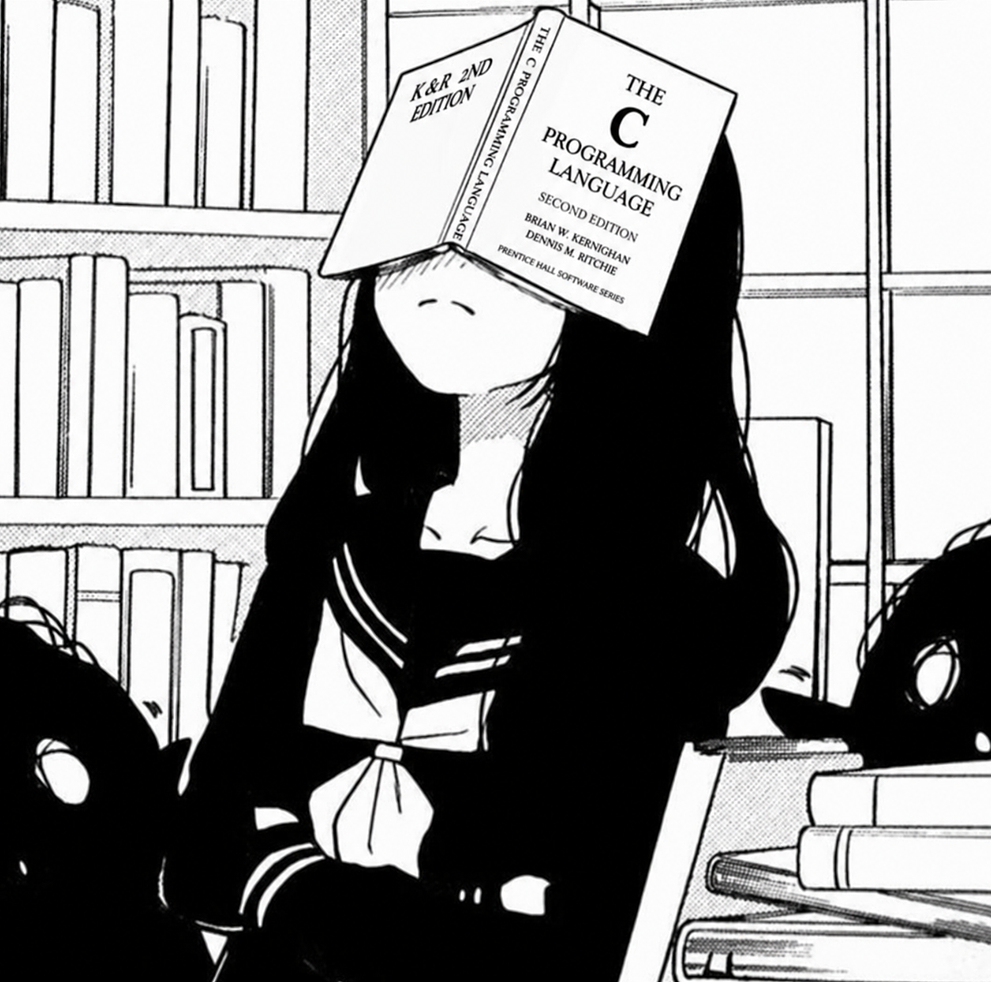
When I finished the chapter, I wanted to sit down and write about everything I had learned. I ended up discovering that my brain had other plans:
Arrays in C
Next, K&R introduces the use of the array data structure (also known as a vector), which consists of a sequence of elements stored contiguously in memory. In C, arrays have a fixed size, so the number of elements they can store needs to be defined in advance.
The first example is a program whose goal is to go through the input character by character and count how many times each digit (0 to 9) appears, as well as the number of whitespace characters and other characters (i.e., letters and symbols).
Consider the input abc12345 9021 — the output will be:
digits = 1 2 1 1 1 1 0 0 0 1
white space = 1
other = 3
The first sequence represents the number of occurrences of each digit. The first value corresponds to the number of times the character 0 appeared, the second to digit 1, the third to digit 2, and so on up to 9.
The code presented by K&R to solve this problem is:
#include <stdio.h>
/* count digits, white space, others */
main()
{
    int c, i, nwhite, nother;
    int ndigit[10];

    nwhite = nother = 0;
    for (i = 0; i < 10; ++i)
        ndigit[i] = 0;

    while ((c = getchar()) != EOF)
        if (c >= '0' && c <= '9')
            ++ndigit[c-'0'];
        else if (c == ' ' || c == '\n' || c == '\t')
            ++nwhite;
        else
            ++nother;

    printf("digits =");
    for (i = 0; i < 10; ++i)
        printf(" %d", ndigit[i]);
    printf(", white space = %d, other = %d\n",
        nwhite, nother);
}
The array is declared with the number of elements it will store: 10 positions (int ndigit[10]), corresponding to digits 0 through 9. Next, a for loop zeroes out all the elements of the array, since it will be used as a digit frequency counter.
In addition, this example has a very important subtle detail that connects in practice with the previous sections of this post. I'm referring specifically to the lines:
if (c >= '0' && c <= '9')
    ++ndigit[c-'0'];
Note that the program is comparing c with '0' and '9', as if they were characters and not numbers. This might seem confusing at first, but it makes sense when we remember that getchar() reads characters from the input.
Although getchar() returns an int, the returned value represents the ASCII code of the typed character. So, if the user types a number from 0 to 9, the value stored in c will be a number between 48 and 57:
'0' = 48
'1' = 49
'2' = 50
'3' = 51
'4' = 52
'5' = 53
'6' = 54
'7' = 55
'8' = 56
'9' = 57
That's why the condition: c >= '0' && c <= '9' is just a more readable way of checking whether the value returned by getchar() is between 48 and 57, that is, whether the character read represents a digit.
But another problem arises: the array only has 10 positions (0 to 9). It would be strange to waste dozens of positions just because the ASCII codes for the digits start at 48.
The solution presented by K&R is extremely elegant. Since the characters '0' through '9' occupy sequential positions in the ASCII table, you just need to subtract '0' from the received value: ++ndigit[c - '0'];
Imagine the user typed '5'. The value stored in c will be 53. So: 53 - 48 = 5 — in practice, the code becomes: ++ndigit[5];
In other words, the subtraction converts the character's ASCII code into the correct array index. This way, each digit lands exactly in the position that represents its numeric value.
To display the array's elements, it's necessary to go through each position individually. That's why, in the book's example, we have this for loop, which prints the values stored at each index of the array:
for (i = 0; i < 10; ++i)
    printf(" %d", ndigit[i]);
But why do we need to do this? Isn't there a way to print the entire array like in Python, for example: print(ndigit)
The answer connects with the previous section: in Python, a list is an object that carries information about itself during execution, such as the number of elements and its internal structure. We can imagine something like:
list object
├── size: 3
├── capacity: 4
└── elements
    ├── 1
    ├── 2
    └── 3
In C, this information structure doesn't exist alongside the data. An array is a contiguous sequence of values in memory, without metadata automatically indicating how many elements exist or how that data should be interpreted.
That's why the programmer needs to go through each element manually and also needs to know the array's size in advance.
There's an exception: as long as the compiler still knows the original array, it's possible to calculate its size using sizeof. However, when an array is passed as an argument to a function, it's converted into a pointer to the first element, and that information about the number of elements is lost.
Exercise 1-13. Write a program to print a histogram of the lengths of words in its input
The prompt asks the program to read an input and create a histogram showing how many words have each length. For example, if the input contains four words: hi, hello, world, and map, the program should identify that there's one word of length 2, two of length 5, and one of length 3, storing these frequencies to later display in the histogram.
The challenge lies in the fact that the program doesn't receive the words ready-made; it only receives a sequence of characters and needs to figure out where each word starts, ends, and what its length is.
This exercise is a combination of the concepts already presented — and unlike the previous examples, the program isn't just analyzing the current character; it needs to build a piece of information that doesn't exist directly in the input: the length of each word. While receiving characters, the program keeps a state representing whether it's inside a word and a counter accumulating its length. When it finds a separator, that context lets it know that a word has ended and update the corresponding index in the array.
Solution
/*
Exercise 1-13. Write a program to print a histogram of the lengths of words in its input. It is
easy to draw the histogram with the bars horizontal; a vertical orientation is more challenging.
*/
#include <stdio.h>
#define IN 1            // inside word
#define OUT 0           // outside word
#define MAX_WORD_LEN 10 // max length of the input

int main () {
    // c: current character. i and j: loop counters. nc: current word length
    int c, i, j, nc, state;

    nc = i = j = 0;

    int histogram[MAX_WORD_LEN];

    // initialize array elements to 0
    for (i = 0; i < MAX_WORD_LEN; i++)
        histogram[i] = 0;

    state = OUT;

    while ((c = getchar()) != EOF) {
        if (c != '\n' && c != '\t' && c != ' ') {
            state = IN;
            nc++;
        }
        if (c == '\n' || c == '\t' || c == ' ') {
            if (state == IN) {
                if (nc > MAX_WORD_LEN) {
                    printf("max word length = %d\n", MAX_WORD_LEN);
                }
                else
                    histogram[nc - 1]++; // word length 1 maps to index 0
            }
            state = OUT;
            nc = 0; // reset nc when outside word
        }
    }

    // handle a word that ends directly at EOF
    if (state == IN) {
        if (nc > MAX_WORD_LEN) {
            printf("max word length = %d\n", MAX_WORD_LEN);
        }
        else {
            printf("\n");
            histogram[nc - 1]++;
        }
    }

    // loops for printing the histogram
    for (i = 0; i < MAX_WORD_LEN; i++) {
        printf("%3d | ", i + 1);
        // print '*' repeatedly because C has no string repetition operator
        for (j = 0; j < histogram[i]; j++)
            printf("*");
        printf("\n");
    }
    return 0;
}
Concepts applied in this exercise:
- Character stream processing.
- State machine (IN / OUT).
- State as a representation of the current context.
- Counting and accumulating information.
- Arrays as frequency tables.
- Mapping data to array indices.
Strings and the \0 terminator
If you wondered why strings in C are covered within the arrays section, that's a good question.
The reason is that, in practice, there's no special type called string in C. Strings are built using an array of char.
If we connect this with the fact that arrays don't automatically carry their size during execution, a natural question arises: "how does C know when a string ends?"
The answer is the null terminator, the \0 character. Unlike EOF, which is a special value returned by input functions to indicate the end of a stream, \0 is actually stored inside the array as the marker for the end of the string.
This means that a 5-letter string occupies 6 positions in the array, since \0 also takes up a space.
char word[] = "hello"; — in memory: h e l l o \0.
Note that the compiler adds this terminator automatically.
Internally, standard C library functions, such as strlen(), do something equivalent to:
while (str[i] != '\0')
    i++;
In other words, they traverse the array until they find the marker that indicates the end of the string. In fact, some exercises in chapter 1 ask for exactly this kind of algorithm to be implemented.
Exercise 1-19. Write a function reverse(s) that reverses the character string s. Use it to write a program that reverses its input a line at a time.
The exercise asks you to create a function that receives a string and reverses the order of its characters. Then, that function should be used in a program that reads the input line by line and prints each line reversed. The idea isn't just to go through the characters, but to understand how to manipulate a string in C, remembering that it's an array of char terminated by the \0 character. The program needs to identify the string's length, access its elements, and reorganize them in reverse order, turning, for example, an input like hello into olleh.
Solution
/*
Exercise 1-19. Write a function reverse(s) that reverses the character string s. Use it to
write a program that reverses its input a line at a time.
*/

/* Since Chapter 1 does not introduce dynamically allocated buffers,
 * input longer than the array size is truncated.
 */
#include <stdio.h>
#define ARRAY_SIZE 1000

int get_line(char s[], int lim);
void reverse(char s[]);

int main() {
    char line[ARRAY_SIZE];
    int len;

    while ((len = get_line(line, ARRAY_SIZE)) > 0) {
        reverse(line);
        if (line[0] != '\0')
            printf("%s\n", line);
    }

    return 0;
}

int get_line(char s[], int lim) {
    int c, i, j;

    j = 0;

    for (i = 0; (c = getchar()) != EOF && c != '\n'; i++) {
        if (j < lim - 1) {
            s[j] = c;
            j++;
        }
    }

    if (c == '\n') {
        if (j < lim - 1) {
            s[j] = c;
            j++;
        }
        i++;
    }

    if (j < lim)
        s[j] = '\0';
    else
        s[lim - 1] = '\0';

    return i;
}

void reverse(char s[]) {
    int i, j, tmp;
    i = j = 0;

    while (s[j] != '\0')
        j++;
    j--;

    while (j >= 0 && (s[j] == ' ' || s[j] == '\t' || s[j] == '\n')) {
        j--;
    }
    s[j + 1] = '\0';

    for (i = 0; i < j ; i++, j--) {
        tmp = s[i];
        s[i] = s[j];
        s[j] = tmp;
    }
}
Concepts applied in this exercise:
- Strings in C as arrays of char.
- Traversing strings up to the \0 terminator.
- Manipulating arrays by index.
- Functions and separation of responsibilities.
- Modifying data through parameters.
- Swap algorithms.
- Line-by-line input processing.
Some points of this exercise are worth analyzing.
Summarizing the functions and their responsibilities:
mainorchestrates;get_linecaptures data;reversetransforms data.
main
The main function is the entry point of the program and its role is simple: declare the variables and coordinate the execution of the other functions.
In the while condition, the value returned by get_line is assigned to the variable len: while ((len = get_line(line, ARRAY_SIZE)) > 0).
Although len is not used inside the loop body (nor in the reverse function, the reason for which is explained later), it is necessary to capture the return value of the function and allow the program to verify whether a line was actually read. As long as get_line returns a value greater than zero, processing continues.
In the body of the while, the captured line is passed to reverse, which modifies the contents of the array itself. This is possible because, when passing an array as an argument to a function, C does not create a copy of its elements; the parameter is converted into a pointer to the first element of the array, allowing the function to directly alter the data stored in the original memory.
Next, the program checks whether the first element of the string is \0. If it is, it means the string is empty and there is no content to print. Otherwise, the reversed line is displayed.
get_line
The get_line function is responsible for capturing a line received through the input and storing it in the array passed as an argument.
The function reads characters individually using getchar until it finds a line break (\n) or the end of input (EOF). Each received character is stored in a position of the array and, at the end, the terminator \0 is added to indicate the end of the string.
''
The value returned by the function represents the number of characters received during reading, even if part of them cannot be stored if the array limit is reached.
When get_line finds \n, the reading ends, but that character is also stored at the end of the array before the terminator \0. This happens because the Enter sent by the terminal is part of the input received by the program, generating that line break character (except when the array limit is reached before it can be stored).
Example: if the input is Hello, world in C! followed by Enter, the array will be filled with a sequence of characters containing the line and the \n generated by the line break: H e l l o , w o r l d i n C ! \n \0. The \0 is added by the function itself to indicate the end of the string in C.
Now that the function has been explained, there are important details in its implementation.
Parameters:
char s[]this first argument is the array where the characters will be stored.int limthe second argument informs the maximum available size, allowing the function to control how far it can write and avoid exceeding memory limits.
Variables:
crepresents the current character received by the function throughgetchar.irepresents the current reading position and also works as a counter of the number of characters received from the input. It tracks all characters read, even those that cannot be stored if the array limit is reached.jrepresents the current storage position in the array, being used separately fromito ensure that only the number of characters that fit in the array is stored.
The difference between i and j is an interesting detail of the code: i tracks everything that was received from the input, while j tracks only what was actually saved in the array. That is why, when the line is larger than the available size, i keeps increasing while j stops advancing.
The traditional implementation of this exercise does not use a separate variable like j; it handles this situation using only i. However, when solving the exercise, separating these two responsibilities seemed like a clearer solution: one variable represents the amount of data received, while the other represents the amount of data stored. The solution using only i works, but requires some additional decisions that make the logic a little less straightforward to follow.
Looking closely at the stopping condition of the for: for (i = 0; (c = getchar()) != EOF && c != '\n'; i++), when the character \n is found, the loop ends, but the value returned by getchar has already been assigned to the variable c. That is, the line break was read and consumed by the function, it just did not pass through the body of the for. That is why, after the loop, it is still possible to check: if (c == '\n') and store that character in the array before adding the terminator \0.
The condition if (j < lim - 1) exists to ensure that there is still enough space in the array to store the current character without compromising the space reserved for the string terminator \0.
But why -1? Because a string in C always needs an extra position to store the \0, which indicates where it ends. If the array has size lim, the last available space must be reserved for that terminator.
Afterwards, after finishing the reading, the program adds the \0 at the end of the string:
f (j < lim)
    s[j] = '\0';
This character is not part of the text received by the user; it is added by the program to transform the sequence of characters stored in the array into a valid C string.
reverse
The reverse function is the core of the proposed exercise. Its responsibility is to receive a string (an array of char) and reverse the order of its characters, making the last one become the first, the second-to-last become the second, and so on.
An important detail is the string terminator \0: it is not part of the content of the string and, therefore, must not take part in the reversal.
It is also worth commenting on an implementation decision. I chose not to use len as a parameter of the function to make it independent of any information beyond the string itself. This way, the function discovers on its own where the string ends, traversing the array until it finds the terminator \0.
However, it would be perfectly possible to avoid this traversal. It would suffice to have get_line return j (number of characters stored) instead of i (number of characters read) and pass that value to reverse. In that scenario, the function would already receive the size of the string and would not need to calculate it again.
Variables:
irepresents the index that traverses the string from beginning to end.jrepresents the index that traverses the string from end to beginning.tmpis a temporary variable used during the position swap (swap) between two characters.
The first while traverses the string until it finds the terminator \0, incrementing j at each iteration. When the loop ends, j is positioned over the string terminator. Then, its value is decremented so that it points to the last valid character of the string, since \0 must not take part in the reversal.
while (s[j] != '\0')
    j++;
j--;
The next while removes spaces, tabs (\t), and line breaks (\n) that are at the end of the string. The loop traverses the array from back to front until it finds the first character that does not belong to that set. As a consequence, strings composed only of those characters end up becoming empty strings. When the loop ends, the terminator \0 is repositioned right after the last valid character found.
Finally, the for loop performs the actual reversal. While i advances from the beginning to the end of the string, j advances from the end to the beginning. At each iteration, the characters s[i] and s[j] swap positions using tmp as temporary storage. The process continues until the two indices meet.
tmp = s[i];
s[i] = s[j];
s[j] = tmp;
Exercise 1-22. Write a program to fold long input lines...
Full prompt: Write a program to "fold" long input lines into two or more shorter lines after the last non-blank character that occurs before the n-th column of input. Make sure your program does something intelligent with very long lines, and if there are no blanks or tabs before the specified column.
The exercise asks for a program that breaks long lines into shorter ones, but in an intelligent way. Instead of simply cutting the line at a fixed position, the program must look for the last space or tab before a given column and perform the break at that point, avoiding splitting words in the middle. However, the exercise also requires the program to know how to handle cases where there's no space or tab before the defined limit, such as an extremely long word or a continuous sequence of characters. In that case, the program needs to make some decision in order to split the line even without an ideal breaking point.
Unlike the previous exercises, here the program doesn't just analyze the data it receives; it needs to reorganize the very structure stored, inserting new characters into the array. This was one of the exercises where it became most evident that manipulating data in C requires understanding exactly how that information is organized in memory.
Solution
/*
Exercise 1-22. Write a program to ``fold'' long input lines into two or more shorter lines after
the last non-blank character that occurs before the n-th column of input. Make sure your
program does something intelligent with very long lines, and if there are no blanks or tabs
before the specified column.
*/

#include <stdio.h>
#define MAXLINE 1000    // Array max size
#define FOLDCOL 10      // Fold column (\n)

int get_line(char line[], int maxline);
void fold(char line[]);
void insert_char(char line[], int pos, int len, char c);
int string_length(char s[]);

int main(void) {
    char line[MAXLINE];
    int i;
    int len;

    while ((len = get_line(line, MAXLINE)) > 0) {
        fold(line);
        printf("\n%s\n", line);

    }
    return 0;
}

int get_line(char line[], int maxline) {
    int c;
    int i;

    for (i = 0; i < maxline - 1
         && (c = getchar()) != EOF
         && c != '\n';
         i++) {

        line[i] = c;
    }

    if (c == '\n') {
        line[i] = c;
        i++;
    }

    line[i] = '\0';

    return i;
}

void fold(char line[]) {
    int i;
    int col = 0;
    int last_blank = -1;

    for (i = 0; line[i] != '\0'; i++) {
        if (line[i] == '\n') {
            col = 0;
            last_blank = -1;
            continue;
        }

        if (line[i] == ' ') {
            last_blank = i;
        }

        if (col >= FOLDCOL) {
            if (last_blank != -1) {
                line[last_blank] = '\n';
                col = i - last_blank - 1;
                last_blank = -1;
            }
            else {
                insert_char(line, i, string_length(line), '\n');
                col = 0;
                last_blank = -1;
                i--;
            }
        }

        col++;
    }
}

void insert_char(char line[], int pos, int len, char c) {
    int j;

    for (j = len; j >= pos; j--)
        line[j + 1] = line[j];

    line[pos] = c;
}

int string_length(char s[]) {
    int i = 0;

    while (s[i] != '\0')
        i++;

    return i;
}
Concepts applied in this exercise:
- Strings in C as arrays of char.
- Temporary storage of input.
- Manual string manipulation.
- Position and column control.
- Preserving context for decision-making.
- Reorganizing data in memory.
- Handling limits and edge cases.
This exercise was particularly brutal.
Here the pattern of the main, get_line, and string_length functions is reused from the previous exercise. In summary, main is responsible for orchestrating the program flow; get_line transforms the input stream into a line stored in a char array; and string_length traverses the string until it finds the \0 terminator, returning its character count.
Therefore, the new additions in this exercise are the fold and insert_char functions.
insert_charshifts the array elements one position to the right starting from a given index, making room for the insertion of a new character.foldimplements the main logic of the exercise, deciding where line breaks should be inserted.
insert_char
First, let's understand the function signature: void insert_char(char line[], int pos, int len, char c).
The void indicates that the function does not return any value. The parameters received are the string that will be modified, the position where the character should be inserted, the current size of the string, and the character to be inserted.
The function is extremely small and its logic is relatively simple:
for (j = len; j >= pos; j--)
    line[j + 1] = line[j];
line[pos] = c;
Here, j starts at the end of the string and walks toward the insertion position. At each iteration, the current element is copied to the next position: line[j + 1] = line[j];.
Since the shift happens from back to front, no data is overwritten before being copied. At the end of the loop, all elements from pos onward have been shifted one position to the right, making room for the insertion of the new character: line[pos] = c;.
In practice, the function reorganizes the array elements to create a free space at the desired position.
fold
fold was a particularly difficult function to implement.
Here a new idea arises compared to the previous exercises: tracking the current position within the line while characters are being processed. The variable responsible for this is col, which works as a column counter.
There is also the constant FOLDCOL, which defines from which column the program should attempt to insert a line break (\n).
last_blank works as a record of the position of the last space found during the reading of the line. Whenever a space character (' ') is found, this variable is updated with its index.
The initial value of -1 is also important. It indicates that no space has been found so far. This way, when the column limit is reached, the program can distinguish two situations: there is a valid space to perform the break, or there is no space available. In the second case, the line must be cut even without an ideal separation point.
The first for loop traverses the string until it finds the \0 terminator. During this traversal, the program keeps track of information about the current line: where the column is (col) and the position of the last space found (last_blank).
In the body of the loop, it is first checked whether the current character is a line break (\n). If it is, it means a new line has begun, so the values need to be reset. The variable col goes back to 0, since the column count must start over, and last_blank goes back to -1, indicating that no space has been found on this new line.
The continue ends the current iteration, preventing the rest of the logic from being executed for that character.
for (i = 0; line[i] != '\0'; i++) {
    if (line[i] == '\n') {
    col = 0;
    last_blank = -1;
    continue;
}
Next, the program checks whether the current character is a space. If it is, the position of that space is stored in last_blank.
This is necessary because the break should not happen simply at the column limit. The exercise asks for the line to be broken at the last possible space before that column, avoiding splitting words in the middle.
if (line[i] == ' ') {
    last_blank = i;
}
The most complex part happens when the current column exceeds the defined limit: if (col >= FOLDCOL).
At this point, the program needs to decide where to insert the line break. First it checks whether any space has been registered: if (last_blank != -1). If there is one, it simply replaces that space with a line break: line[last_blank] = '\n';. Then, last_blank is reset to -1, ensuring that the new line starts with no space registered from previous lines.
The most subtle part comes right after: col = i - last_blank - 1;. This operation recalculates the column position after the break.
Imagine a line like: hello world test
Assuming the space between hello and world is at index 5:
h e l l o _ w o r l d
0 1 2 3 4 5 6 7 8 9 10
When the program replaces the space with \n, the line gets split at that point:
hello
world
The variable col cannot continue with the old value, because we are now on a new line. We need to know how many characters exist after the point where the break occurred. That is why: i - last_blank - 1.
Represents:
iis the current position the program has reached;last_blankis the position where the break was inserted;-1removes the space that existed between the two parts.
Using the example above to make this concrete: suppose FOLDCOL is 8 and the loop has reached the d of world, which is at index 10. At this point, i = 10 and last_blank = 5 (position of the space between hello and world). The calculation is 10 - 5 - 1 = 4, which is exactly the number of characters of world that have already been traversed before d — that is, w, o, r, l. The col++ at the end of the iteration still executes, making col reach 5, which represents the column position already including d.
In case no space was found before the column limit:
else {
insert_char(line, i, string_length(line), '\n');
The situation is different: there is no natural point to break the line. So the program needs to insert a break exactly at the current position.
The insert_char function shifts all the following characters one position to the right and places the \n at index i.
To visualize what happens to the string after the insertion, imagine the string is abcdefgh and the limit is reached at index 4, that is, at character e:
a b c d e f g h \0
0 1 2 3 4 5 6 7  8
After insert_char inserts \n at position 4, all characters from there onward are shifted one position to the right:
a b c d \n e f g h \0
0 1 2 3  4 5 6 7 8  9
The \n now occupies position 4. The character e, which was previously at line[4], is now at line[5].
After that:
col = 0;
last_blank = -1;
i--;
col = 0happens because a new line has just begun.last_blank = -1happens because, after the break, there is no longer any registered space that belongs to the new line.i--exists because of the shift caused byinsert_char. Using the example above: at the moment of insertion,i = 4. Afterinsert_char, the characterewas shifted toline[5]. At the end of the iteration, theforautomatically executesi++. Without thei--,iwould go from 4 to 5 — skipping the inserted\nand processingenormally, as if nothing had happened. With thei--,igoes from 4 to 3, and the automatici++of theforbrings it back to 4. In the next iteration, the program finds the\nat position 4, resetscolandlast_blankthrough the block explained earlier, and moves on toeat position 5.
It is worth noting that, even after the else block, the col++ at the end of the iteration still executes — making col finish the iteration as 1, not 0. This is correct: in the next iteration the program will be processing the inserted \n, which will zero col again through the if (line[i] == '\n') block. So the col = 1 is temporary and does not represent any problem.
Final thoughts
Solving the K&R exercises tends to be difficult when a concept has not yet been internalized. On top of that, many of them give the impression of being just difficult exercises without much purpose. As I progressed through the chapter, I started to notice that there is something beyond that.
I realized that many of these exercises were not only teaching features of the C language. Behind apparently simple problems, ideas such as stream processing, context maintenance, state machines, and organizing information in arrays would emerge.
Throughout the reading it also became clearer that the exercises in the book typically represent real problems. fold, for example, shows that seemingly simple decisions — like breaking a line in a terminal, text editor, or messaging application — need to be implemented by someone. Somewhere there is an algorithm responsible for deciding where that break happens and how to handle situations that fall outside the ideal case.
The book rarely presents these concepts as isolated explanations. Instead, they appear as a consequence of attempting to solve a problem. Perhaps that is why some exercises seem so simple at first glance, but reveal much more when analyzed carefully.
Upon finishing chapter 1, I was surprised by the conceptual density that such small examples could carry. Behind programs that fit in just a few lines, K&R introduces ways of thinking about data, memory, and processing that keep appearing in many different programming contexts. That is a lesson I will certainly carry with me for the rest of my journey.
This first contact with K&R and the C language was definitely challenging, but a lot of fun.